Non-Custodial Security
Your private keys never leave your device. Full ownership, zero compromise. WebAuth never has access to your funds or your XPR Network identity.
The official WebAuth desktop wallet for Windows is here. Manage your XPR Network and Metal Blockchain assets, sign transactions with biometric authentication, and connect to dApps — all from a native Windows application with zero gas fees.
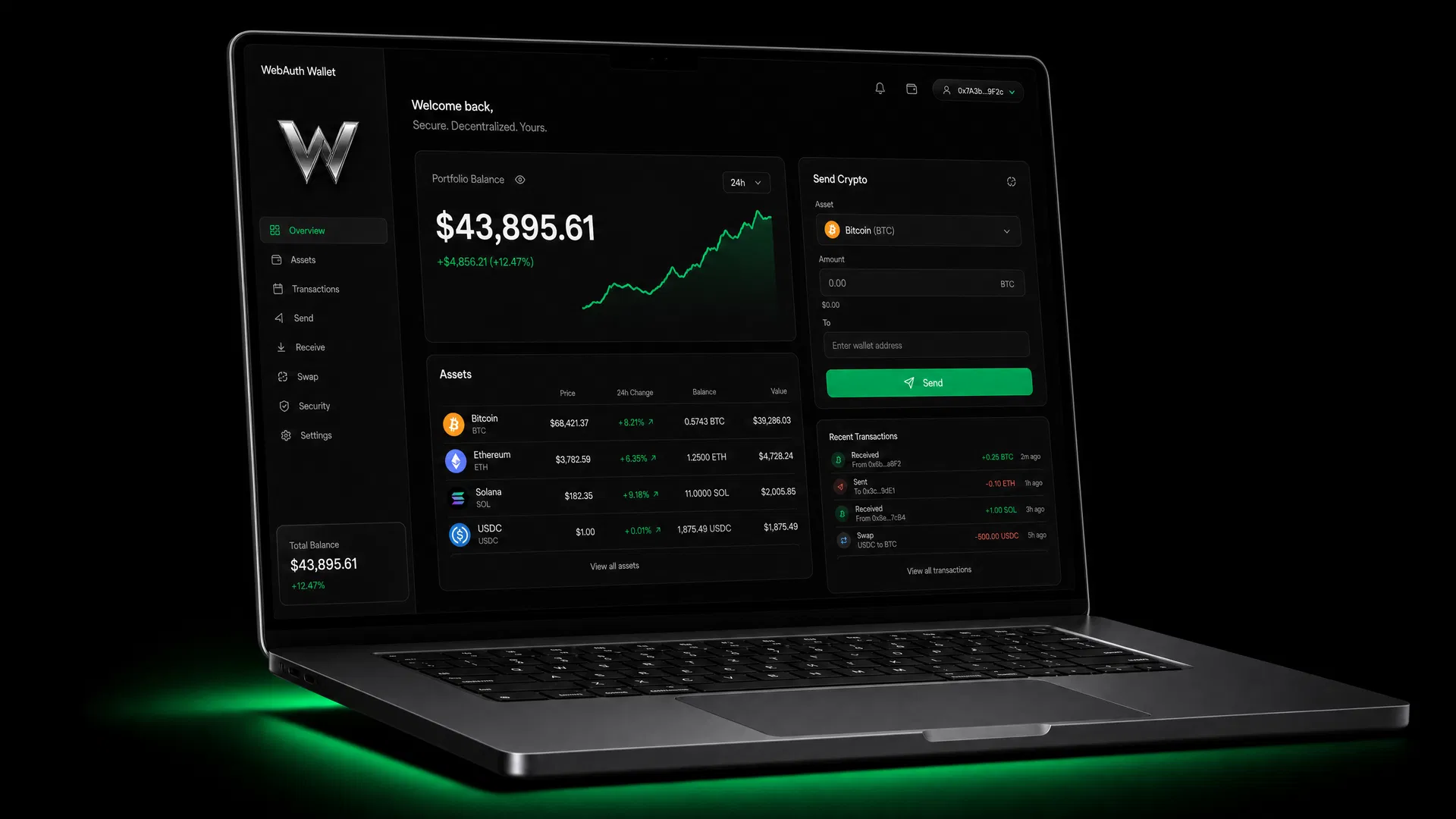
WebAuth Wallet is built from the ground up for users who want full control over their XPR Network and digital assets — with the speed and security of a native Windows application.
Your private keys never leave your device. Full ownership, zero compromise. WebAuth never has access to your funds or your XPR Network identity.
XPR Network, Metal Blockchain, Ethereum, Bitcoin, Optimism, and more — all managed from a single, unified desktop interface with zero gas fees on XPR.
Native Windows performance. No browser overhead, no extensions — just a blazing-fast WebAuth desktop experience built for Windows 10 and 11.
Connect to Metal X and thousands of decentralized applications directly from the WebAuth desktop wallet. No MetaMask or browser extension required.
Real-time balance updates, transaction notifications, and price alerts — always in sync with the XPR Network chain and every connected network.
Compatible with Ledger and Trezor. Use your hardware wallet seamlessly alongside the WebAuth desktop application for maximum security.
Click the download button to get the latest WebAuth Wallet installer for Windows (.exe). It's free and takes under a minute to download.
Launch the installer and follow the setup wizard. WebAuth installs cleanly to your Windows system with no bloatware or background services.
Generate a new WebAuth wallet with a secure seed phrase, or import your existing account. Your keys are encrypted locally and never uploaded.
Start managing your XPR Network assets, connecting to Metal X and dApps, and transacting across multiple chains — all from your Windows desktop.
In Web3, security is non-negotiable. The WebAuth desktop wallet is designed with a zero-trust architecture — your assets are protected by multiple layers of encryption, biometric verification, and local-only key management on your Windows PC.
Private keys are encrypted with AES-256 and stored only on your Windows machine. Never transmitted to any server.
Protect wallet access with Windows Hello — fingerprint or face recognition. No passwords, no seed phrase entry for daily use.
Built-in domain verification alerts you before connecting to suspicious dApps or unverified XPR Network contracts.
The WebAuth codebase is publicly audited and available on GitHub. Transparency is the foundation of our security model.
"Finally a desktop wallet that doesn't feel like a browser extension afterthought. WebAuth Wallet is polished, fast, and I trust it with my entire XPR Network portfolio."
"The multi-chain support is seamless. I manage XPR, ETH, and BTC from one place. The UI is clean and the security features give me real peace of mind on desktop."
"As a developer on XPR Network, I appreciate the open-source approach and hardware wallet integration. WebAuth for Windows is now my daily driver for dApp testing."
The WebAuth desktop wallet is free, open-source, and designed to give you complete self-custody over your XPR Network tokens, Metal Blockchain assets, and Web3 identity — all on your Windows PC.